
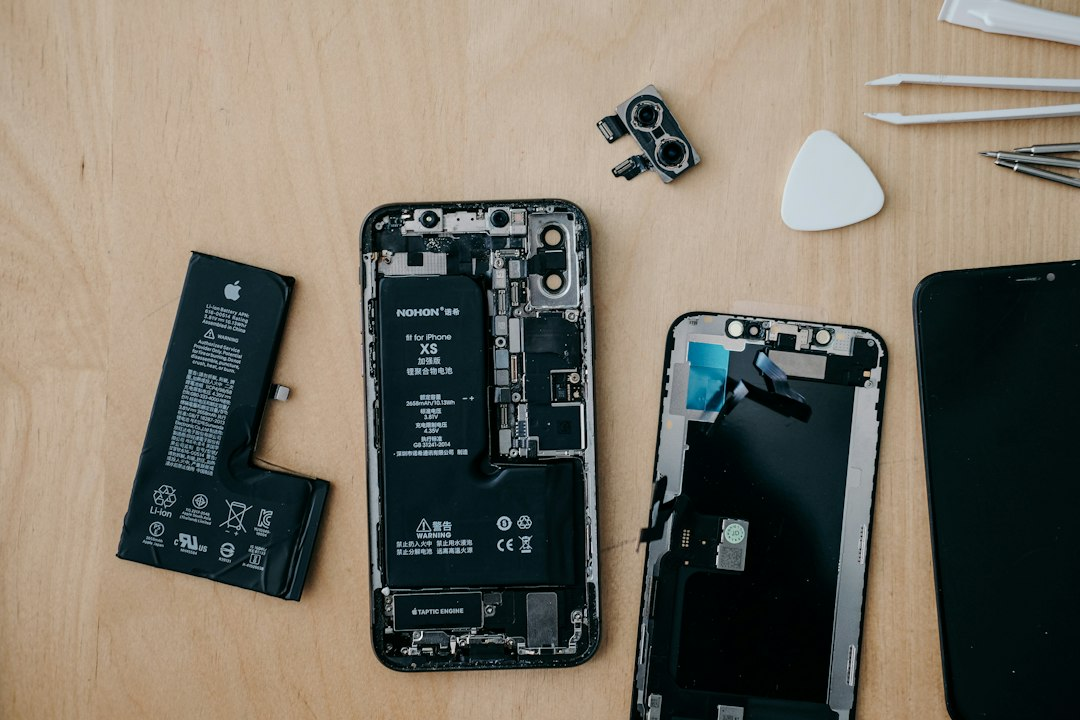
Performance and price matter, but a device can become expensive long after checkout if the battery is difficult to replace, parts are unavailable or software support ends early. A few checks before buying can reveal whether a phone, laptop or smart device is designed to last.
At a glance
- Ask how long security and operating-system updates are promised.
- Check battery replacement, parts availability and repair documentation.
- Read warranty terms without assuming they eliminate every independent repair option.
Start with the support horizon
A device may continue to turn on after official support ends, but unsupported software can lose security fixes, app compatibility and useful features. Before buying, look for a published update policy from the manufacturer. Distinguish between major operating-system upgrades and security updates; companies sometimes promise different periods for each.
For connected home products, also ask what happens if the company stops operating the service. A camera, lock or thermostat that depends completely on a remote server may lose features even when the hardware is still working.
Price the battery and common repairs
Batteries are consumable parts. Search the manufacturer’s repair page for the price of a battery replacement, screen replacement or charging-port service. Then check whether authorized and independent repair providers can obtain parts and instructions. The Federal Trade Commission has examined how repair restrictions can limit consumer choice and increase dependence on a manufacturer’s repair network.
Easy repair does not mean every repair should be attempted at home. Lithium-ion batteries can be dangerous when punctured or handled incorrectly. The useful question is whether qualified repair options, parts and documentation will exist when you need them.
Separate warranty facts from repair myths
A warranty explains what the seller or manufacturer promises to fix. It is not the same thing as insurance, and it may exclude accidental damage. Read the actual coverage period, deductible or service fee, shipping responsibility and remedy. Keep the receipt and a copy of the warranty because online terms can change.
Use a five-question buying checklist
- How many years of security updates are promised?
- Can the battery be replaced, and what does the service cost?
- Are parts and repair manuals available?
- Does the product require a subscription or cloud service?
- Is there a safe reuse, trade-in or certified recycling path?
If two products perform similarly, the one with clearer support terms and practical repair options may deliver better long-term value—even if its checkout price is slightly higher.
Sources
This is an original AskNovus guide based on the linked sources. Image: insung yoon via Unsplash.